
GENERAL
Does the Desky Standing Desk Wobble at Full Height? Stability Test

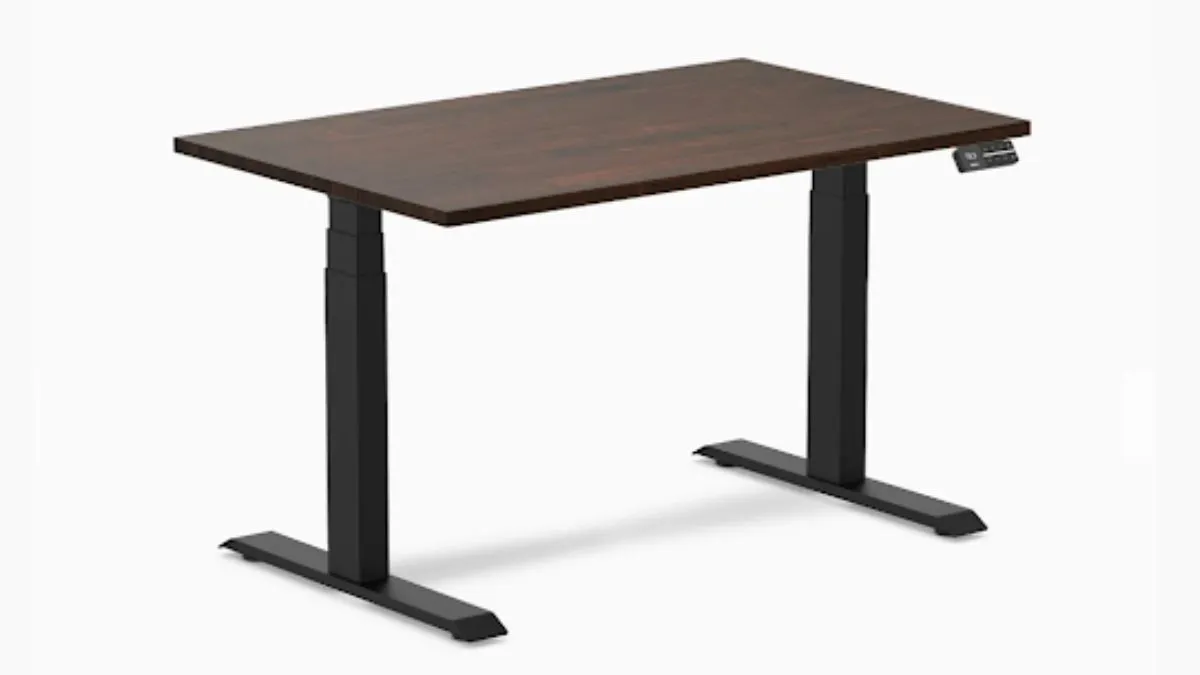
Most professionals apply rigorous thinking to financial decisions, but almost none to the equipment they work on for 8 hours a day. A standing desk that wobbles at full height is not a minor inconvenience; it is a daily drag on focus, output, and the long-term health of the person generating that output. Before committing $800 to $1,200 of capital to a height-adjustable workstation, the performance data should actually support the price tag.
We ran the Desky Dual through a structured stability test: a 30 kg load, lateral force applied at three heights, and displacement measured in millimetres. The result, 2.1 mm of lateral deflection at maximum height, places it among the most stable two-leg standing desks available in Australia and validates the spend for the buyers most likely to push the frame to its limits.
For context, deflection of less than 5 mm at the maximum height is considered stable for daily multi-monitor use. The Desky Dual sits well inside the stable category at every tested height.
Table of Contents
How We Tested: Methodology, Load, and Measurement
Sound investment analysis starts with sound methodology. The test used a Desky Dual Hardwood Sit Stand Desk with a 180 cm desktop on a level concrete floor. A standardised 30 kg load was assembled from two weighted monitor stands, a keyboard, a mouse, and peripheral accessories, simulating a typical professional dual-monitor workstation.
- Load: 30 kg distributed across the desktop surface
- Heights tested: 80 cm (seated), 100 cm (mid-range), 125 cm (maximum)
- Force: Manual lateral push applied at a consistent point on the front-right desktop corner
- Measurement: Lateral desktop displacement in millimetres at the point of force
- Repetitions: Three trials per height, results averaged
The 30 kg load represents a realistic high-use workstation: two 27-inch monitors on arms, a tower PC, keyboard, mouse, and accessories. This exceeds what most users actually place on their desk, so the test conditions are stricter than typical daily use. Conservative stress-testing applies the same logic as for any asset evaluated under adverse conditions.
The Numbers: Wobble Test Results at Three Heights
| Desk Height | Average Deflection | Perceived Wobble | Typing Stability |
| 80 cm (seated) | 0.4 mm | Imperceptible | Rock solid. Zero movement was felt. |
| 100 cm (mid-range) | 1.1 mm | Imperceptible | Stable. No vibration during typing. |
| 125 cm (maximum) | 2.1 mm | Barely perceptible | Slight surface movement, no screen shake. |
What the Numbers Mean in Practice
At seated height (80 cm), the desk is effectively immovable under the test load. The telescopic legs are barely extended, and the frame operates at maximum structural rigidity. Zero perceptible movement during any activity.
At mid-range (100 cm), 1.1 mm of deflection begins to appear under lateral force. This is below the threshold of human perception during normal desk use. Typing, mouse movement, and even firm keyboard strikes produce no detectable surface response.
At maximum height (125 cm), 2.1 mm is measurable with instruments but barely perceptible by hand. The desktop shows a very slight resonance during typing that dissipates within a fraction of a second. Critically, monitors on arms showed zero visible shake, and a full cup of coffee placed on the surface did not spill or visibly ripple during the force test.
The practical implication: a business professional or remote worker working at full height for four to six hours daily will not lose time, focus, or screen real estate to an unstable frame, and that consistency compounds directly into productive output.
Why the Desky Frame Holds Where Budget Competitors Fail
Three engineering decisions account for the performance gap, and each one maps directly to a common cost-cutting compromise found in lower-priced competitors. For business owners and finance-minded buyers comparing specs across price points, these distinctions explain where the money actually goes.
The frame uses ultra-wide feet that increase the base footprint beyond that of narrower rivals. A wider base distributes lateral force over a larger contact area on the floor, reducing the lever effect that causes tipping. This is not a luxury detail; it is structural physics, and it explains why cheap frames with narrow feet wobble at height regardless of how well everything else is built.
The three-stage telescopic legs maintain tighter tolerances between stages than the two-stage legs found in budget frames. Each stage junction is a potential flex point. Three shorter stages with tighter fits produce less total play than two longer stages with looser tolerances. The leg column feels rigid rather than springy at full extension.
The dual-motor lift raises both legs simultaneously and evenly. Single-motor desks transfer force to the second leg via a connecting rod, introducing lateral play during both lifting and static loading. Dual motors eliminate this transfer mechanism entirely, keeping both sides of the desk parallel under load. It is a higher upfront component cost that pays for itself in the stability margin it creates.
The Real Cost of Getting This Decision Wrong
Standing desk wobble complaints overwhelmingly target three frame characteristics: narrow feet, two-stage legs, and single-motor lift. Budget desks under $500 commonly combine all three. The effect compounds at maximum height because each weakness amplifies the others.
Narrow feet create a high centre of gravity relative to the base width; two-stage legs develop joint play faster than three-stage designs; single motors introduce lateral bias during lifting that persists as a static lean under load.
The financial case against the cheap option is straightforward. A $350 desk that wobbles at height does not solve the problem it was purchased to solve. A professional who abandons standing use because the frame shakes, or who replaces a wobbly unit within 18 months, has spent more per year of productive use than a buyer who correctly allocated the first time. Compounding bad decisions is as expensive in office equipment as it is in a portfolio.
Conditions That Could Increase Wobble on Any Standing Desk
Even the most stable frame can wobble under certain conditions, and buyers, whether setting up a home office or a small-business workspace, should factor this in from day one. Uneven floors create a contact gap that allows rocking motion. Thick carpet compresses unevenly underfoot, reducing effective base width. Excessively heavy asymmetric loads shift the centre of gravity toward the loaded side.
Desky’s adjustable feet correct for slight unevenness. For carpeted floors, Desky’s lockable casters or hard-surface pads restore the effective base width lost to thick carpet. Balanced load distribution across the desktop eliminates asymmetric wobble that concentrated weight creates, a setup detail that costs nothing and is worth addressing before attributing instability to the frame.
Test the Desky Dual stability at full height in a showroom, or explore the full range on Desky.
FAQs
Does the Desky Dual wobble at full standing height?
Under a 30 kg test load at 125 cm, the Desky Dual recorded 2.1 mm of lateral deflection, below the 5 mm threshold considered stable for multi-monitor use, and barely perceptible during normal typing and mouse activity.
What causes standing desks to wobble at height?
Narrow feet, two-stage telescopic legs with loose tolerances, and single-motor lift systems are the three primary causes. The Desky Dual features ultra-wide feet, three-stage legs, and dual motors, eliminating the three wobble sources that plague budget competitors.
Will the desk wobble more on carpet?
Thick carpet can compress unevenly underfoot, reducing effective base stability. Desky’s adjustable feet and optional lockable casters or hard-surface pads restore stability on carpeted floors.
How much weight can the Desky Dual hold without wobbling?
The frame is rated for 140 kg. The 30 kg test load represents a heavy dual-monitor setup. At 30 kg, the desk deflected by 2.1 mm. Lighter setups under 20 kg would produce even less. For a business workstation with multiple screens and peripherals, the frame has substantial headroom before stability begins to degrade.
Is the Desky Dual more stable than four-leg standing desks?
Four-leg desks distribute force across more contact points, which can provide greater raw stability under extreme loads. For loads under 100 kg, the Desky Dual’s two-leg frame with ultra-wide feet offers comparable stability while remaining lighter and more maneuverable.
The Verdict: Does the Data Support the Investment?
The Desky Dual does not wobble at full height under real-world loads. The 2.1 mm deflection at 125 cm under 30 kg places it among the most stable two-leg standing desks in Australia, and the engineering behind that number is not accidental. Ultra-wide feet, three-stage legs, and dual motors each address a specific failure mode that cheaper competitors leave unresolved.
For professionals and business owners evaluating this as a long-term capital purchase, the data makes the case clearly. A frame that maintains maximum height under full load over years of daily use is the right allocation. A frame that does not cost more in replacement cycles, lost productivity, and abandoned standing habits than the price gap ever justified.
Explore the full Desky range on Desky.
References
[1] ANSI/BIFMA X5.5 — Desk and Table Products Standard. BIFMA International. https://www.bifma.org/store/ViewProduct.aspx?id=1375047
[2] Computers and Workstations. Comcare (Australian Government). https://www.comcare.gov.au/office-safety-tool/spaces/work-areas/computers-workstations
[3] AS/NZS 4442:2018 — Office Desks, Office Workstations and Tables. Standards Australia Store. https://store.standards.org.au/product/as-nzs-4442-2018


What Is Ad Blocking? Privacy, Security & Impact Guide

6 Benefits of Experiential Therapy for Teens in Managing Anxiety and Stress

Does the Desky Standing Desk Wobble at Full Height? Stability Test

Sleep Apnea: Possible Causes and Treatment Options

What Are the Benefits of Exercise Physiology in Perth?

Hellman Key: The Cryptographic Breakthrough Behind Secure Internet Communication

What Are the 12 Chakras

Adsy.pw/hb5: The Ultimate Digital Marketing & SEO Optimization Platform

Fitwave: The Fitness Revolution and Why it Works

What Is a Tranny Tube? Role in Vehicle Transmissions

Essential Hoodie: The Everyday Piece That Combines Comfort and Style

How to Wear Perfume in Professional Settings Without Being Overpowering

Why You Should Choose Jewelry That Ages Well Over Time

Ракитовица (Tamarix): Botanical Traits and Global Role

Jojoy Minecraft: Unofficial Mods, Skins & Free Features
-
 GENERAL11 months ago
Christofle – For Those Who Dream of Family Heirloom Silver
-
SPORTS1 year ago
Discover the World of Football with Streameast: Watch Your Favorite Leagues and Tournaments
-
GENERAL4 months ago
Uncovering the World of кинокрадко: The Dark Side of Film Piracy
-
GENERAL1 month ago
Unveiling the Art of преводсч: How Translators Bridge Language Barriers