GENERAL
MyPasoKey: Encryption-Based Password Manager

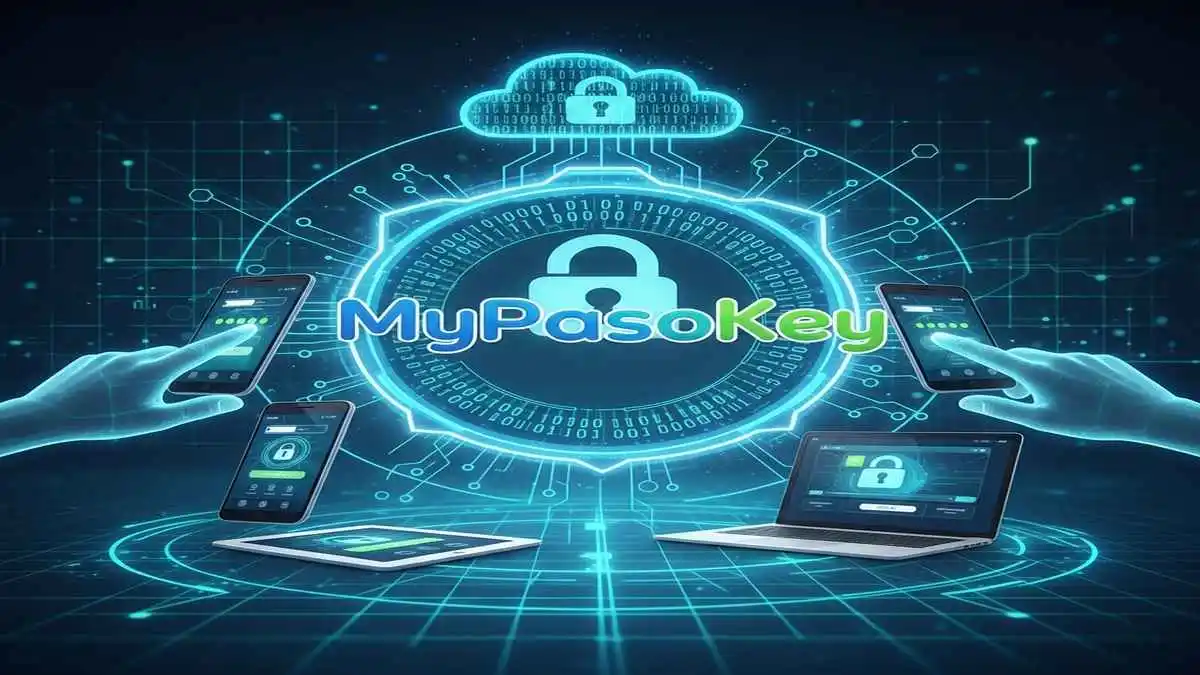
MyPasoKey is a modern password manager that enables users to store, organize, and retrieve login credentials through a centralized, encrypted vault. Unlike basic storage methods like sticky notes or unprotected digital documents, it applies advanced encryption standards and secure authentication protocols to ensure that user data remains private and protected.
At its core, MyPasoKey functions as a digital repository for credentials, but it extends beyond storage. The platform offers a suite of features that improve both security and usability, including:
- Data encryption to safeguard credentials at rest and in transit.
- Auto-fill functionality for faster, more efficient logins.
- Secure notes for storing sensitive information such as personal identification numbers or secure answers to recovery questions.
- Multi-factor authentication (MFA) to strengthen access security.
- Cross-device synchronization to allow safe access from multiple devices.
These capabilities make it a comprehensive solution for individuals and organizations seeking to maintain strong security practices without sacrificing convenience.
Table of Contents
How MyPasoKey Protects User Data
The foundation of MyPasoKey’s security lies in encryption and authentication. The platform encrypts all credentials using industry-standard AES-256 algorithms, ensuring that data is indecipherable without the correct decryption key. This encryption applies both to data stored locally and data transmitted between devices, reducing the risk of interception or unauthorized access.
Authentication is another critical layer of protection. MyPasoKey supports multi-factor authentication, requiring users to confirm their identity through multiple means, such as:
- A master password that unlocks the vault.
- Biometric verification, including fingerprint and facial recognition.
- Time-based one-time passwords (TOTP) generated through authenticator apps.
This combination of strong encryption and multi-layered authentication ensures that even if a device is compromised, user credentials remain secure.
Key Components of a Smart Password Manager
1. Intelligent Auto-Fill Across Devices
MyPasoKey automatically fills login forms on websites and applications across desktop and mobile platforms. This not only speeds up the login process but also reduces the likelihood of credentials being exposed through manual typing or clipboard errors.
2. Secure Notes and Sensitive Data Storage
Beyond usernames and passwords, it allows users to store additional sensitive information, such as financial account numbers, secure PINs, or personal identification data. Each entry is encrypted and protected with the same rigorous security protocols as passwords.
3. Password Strength Analysis and Recommendations
It includes a password auditing system that evaluates the strength and uniqueness of stored credentials. Users receive actionable suggestions to replace weak or reused passwords, enhancing overall digital security.
4. Cross-Platform Synchronization
Credentials stored in MyPasoKey are seamlessly synced across devices, including smartphones, tablets, and desktops. Synchronization uses end-to-end encryption, allowing users to securely access their accounts wherever they are, without exposing sensitive information during transmission.
5. Secure Sharing Capabilities
It enables secure sharing of credentials with trusted contacts. Shared information remains encrypted, with permissions and access controls clearly defined, ensuring that sensitive data is only accessible to authorized parties.
MyPasoKey in the Context of Digital Security
The digital landscape is increasingly vulnerable to sophisticated threats, including phishing attacks, credential stuffing, and automated password cracking. Users often underestimate the importance of strong, unique passwords, leaving accounts exposed to cyberattacks. It addresses this challenge by offering a structured environment for password management, enabling users to maintain strong security practices effortlessly.
Moreover, MyPasoKey’s features align with broader organizational security strategies. For businesses, the platform can integrate with identity and access management systems, helping IT teams enforce password policies without burdening employees with complex security procedures.
Best Practices for Using a Password Manager
1.Create a Strong Master Password
The master password is the gateway to the entire vault. It should be unique, complex, and never reused across accounts.
2.Enable Multi-Factor Authentication
Combining the master password with MFA adds a critical layer of defense, particularly against unauthorized access attempts.
3.Regularly Audit Stored Credentials
Use password auditing tools to identify weak, repeated, or compromised passwords and replace them promptly.
4.Guard Against Phishing Attempts
Users should remain vigilant and avoid entering credentials into unverified websites or suspicious applications.
5.Securely Back Up the Vault
Encrypted backups prevent data loss in case of device failure, ensuring that credentials remain accessible and safe.
Addressing Common Concerns
Despite the advantages of password managers, some users express hesitation:
- Risk of Vault Compromise: MyPasoKey encrypts all data end-to-end, making stored credentials unreadable even to the service provider. When combined with MFA, the likelihood of unauthorized access is minimal.
- Centralized Credential Storage: While storing all passwords in one location may seem risky, unprotected alternatives like spreadsheets or notes pose a far greater threat. MyPasoKey’s encryption, authentication, and access controls significantly reduce overall risk.
FAQs
1. Can it securely store and manage software license keys?
Yes, it allows users to store sensitive information like software license keys and secure notes, keeping them encrypted and accessible only to the user.
2. Does it provide emergency access for trusted contacts?
Yes, users can designate trusted contacts to gain temporary access to their vault in case of account lockout, ensuring necessary credentials are accessible in emergencies.
3. Can it alert users if their accounts appear in data breaches?
Yes, it monitors known security breaches and notifies users if any stored credentials are compromised, prompting immediate password updates.
Conclusion
MyPasoKey represents a modern, secure, and practical solution for managing digital credentials. By combining strong encryption, intelligent authentication, and cross-device functionality, it enables users to safely store, organize, and access sensitive information while maintaining convenience and efficiency.


The Ultimate Guide to Choosing the Right Yoga Mat for Your Practice

Kingymab: The Workout Routine Taking the Fitness World by Storm

10 Yoga Kneeling Pose Ideas for Beginners

HydraHD Overview: Experience the Best in HD Entertainment

Bureau of Energy Efficiency Drawings: Purpose and Standards

Seekde: Intelligent, Personalized, and Contextual Search

NS Mainframe: Powering Enterprise Workloads Securely

Embracing Diversity: How “Kääntäbä” Promotes Cultural Exchange in Finland

ArcyArt: Showcasing Contemporary South African Artists

Flashata Insights: Enhancing Data Processing in the Modern Age

White Oak Impact Fund: Invest in Change

127.0.0.1:62893 in Action: Practical Applications and Security Considerations

lında ıkejı blog: Nigeria’s Leading Entertainment and Gossip Hub

Holistic Chiropractic Care: A Comprehensive Approach to Health and Wellness

How to Stay Anonymous on the Internet
-
 GENERAL12 months ago
Christofle – For Those Who Dream of Family Heirloom Silver
-
SPORTS1 year ago
Discover the World of Football with Streameast: Watch Your Favorite Leagues and Tournaments
-
GENERAL5 months ago
Uncovering the World of кинокрадко: The Dark Side of Film Piracy
-
GENERAL2 months ago
Unveiling the Art of преводсч: How Translators Bridge Language Barriers